

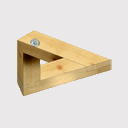
It should work with input as a post. You can set the orientation of every timber to 0/90/180/270°.
Beiträge von Der_Planer
Diese Seiten wurden speziell für die Benutzer unserer Software installiert, um sich untereinander und mit uns, Informationen, Neuigkeiten, Bilder und Dateien auszutauschen. Egal ob Dietrich's Abbundprogramm oder DC-Statik, hier sind alle Holzbau Profis richtig. Natürlich auch die ohne Holzbausoftware 
Wenn Sie selbst aktiv werden wollen, melden Sie sich unverbindlich mit einem Benutzernamen und einem Passwort an. Klicken Sie hierzu auf der linken Seite den Punkt "Benutzerkonto erstellen" an.
Wir wünschen unseren Besuchern einen informativen und angenehmen Aufenthalt bei Dietrich's FIX
Ihr Team Dietrich's Online - Holzbau ist unser Programm
-
-
my experiment: it is possible to put self-defined beams into wall design:
-
A long time ago we discussed the same issue in the german forum. It is not possible to do what you want, except you split the T-beams into 3 parts, but working with them is no more fun and will cost triple time.
By definition all volumes can have a texture set with different:
- upside
- downside
- left and right sides
- begin and end sides
If you cut a beam, there is an definition angle that will define which texture will be used on each surface.The T-beams will never fit into this definition.
-
 Zitat von Thorvald
Ok - now I am ready for my next post
- and I am sorry Rob Cullen but I read about your two cuts in one end of beam.... 
hmm... is that true? I promise, I really told NOBODY about this, did I?
Well, you can use your Inthermo-profile as a "beam" in Dicam. I think the algorithm of wall design is not made for these experiments
-
Zitat
....Ich sag' nur Knotenblech...
Wer braucht schon ein Knoten-[Blockierte Grafik: http://abbund-cad-service.de/dhp/knotenblech.gif]-blech
 :roll: :whistle:
 -
 Zitat von Rob Cullen
.... Please don't tell anyone....
No fear! I look out of my window and see green garden, blue sky and only hear some birds whistling. There is NO ONE I could tell something at all :roll:
:whistle: -
when you add a cut, there ist a little checkbox in this menu, asking if existing end operations shall be deleted :roll:
-
Zitat von Thorvald
.... I don't remember to have seen any "split cut" option to cut a wall. But if it is there I think I would like that method - maybe. With this method the wall will still be 15 m long for example but split into two parts?
There is no split cut for walls, but only for the timbers within the wall.
-
No, nothing will be deleted. Only make a split cut, and set one more post beside the cut. In your plan you write: wall_1, part_A, part_B...
-
Erst mal sehn ob's hoschi damit schafft...
-
No, you cannot split the wall, but you can cut the long beams with Dicam 3-5-04 or in wall construction with 6-3-5.
-
Nein, das geht nicht auf die Maschine. Ein Extrusionskörper enthält keine Bearbeitungen. Selbst wenn man versucht, die Innenrundung als Bogenbearbeitung einzugeben, und die Außenrundung aus mehreren Sägeschnitten zusammensetzt, wird die Maschine kaum eine Stelle finden, um das Holz festzuhalten. Eine Rundung nur innen oder nur außen wäre kein Problem.
-
Hallo hoschi,
zum Firstknoten habe ich eine kleine Anleitung geschrieben, versuch es mal
-
 Zitat von doug
Hallo,
habe ich bis jetzt zwar noch nicht gemacht, aber ich würde es in DICAM einlesen und extrudieren, ....Genau richtig. Im Plancad ist ja schon die Form vorhanden.
Plan(ausschnitt) als dxf exportieren und in Dicam einlesen. Dann Extrudieren über "Innenpunkt". Damit wird die Form automatisch abgegriffen. Sie muss jedoch an allen Ecken exakt geschlossen sein. (Beim Extrudieren die Hilfstexte in der Statuszeile beachten, sie erklären alles.) Das fertige Kopfband durch schieben/drehen an die gewünschte Position bringen. -
Your settings are correct, but there is a little bug in Dicam. Sometimes it is not possible to place an operation exacly to the end of a beam. (Avoid operations exactly point on point or point on line.) If you cut the 2 horizontal beams 0,0002 m shorter (you cannot even see it), then 3-8-1 works as well as 3-7-1.
I did one job with 3-7-1 without cutting and the other with 3-8-1 with cutting before. Both are successful. -
At the end of a beam you can do the same with 3-7-1:
-
Now you should understand:
-
Send me the beams (*.zgb) and show me your settings.
-
Zitat von Thorvald
.... I cut the rafter at the inner side of top plates....
Why didn't you select the top side? I think it would bring the correct result.
-
To help you in your own project, you can save selected elements with 1-1-6 and hang on the compressed file (*.zgb) as attachment.